Navigating Pressburst
Pressburst is organised into a sidebar containing the main areas of the platform. The options available may vary depending on your role and your school’s Pressburst plan.
Main navigation
The sidebar groups related features together:
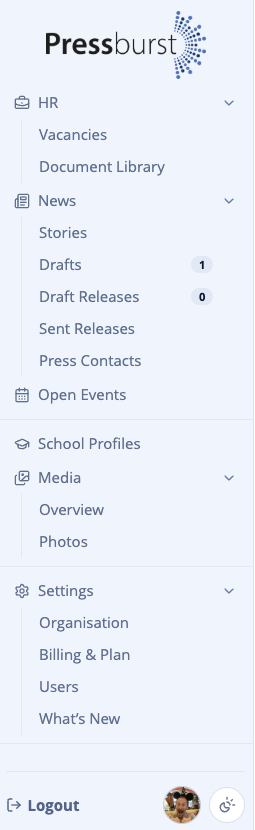
- HR contains job vacancies and the Document Library.
- News contains stories, drafts, press releases and press contacts.
- Open Events provides access to your school’s open events.
- School Profiles contains the school information available through Pressburst.
- Media provides access to your media library.
- Settings contains organisation, plan and user settings.
Select a section to expand it and choose the area you want to work with.
Help and support
You can access help and support at any time using the buttons in the top-right corner of Pressburst.

Help
Select Help to open the help panel, which provides guidance relevant to the section of Pressburst you’re currently using.
You can also access the full documentation for more detailed instructions.
Live chat
Select Live chat to contact the Pressburst support team directly.
Use Live Chat if you need assistance with your account, have questions about a feature or need help with something that isn’t covered in the documentation.