
Managing your school profile
Your school profile helps potential candidates understand what your school is like as a place to work.
The information you provide is used on your school’s profile on SherbertJobs, alongside your current vacancies and, where available, your school’s news and open events.
Use the profile to complement your vacancy advertising with information about your school’s character, values and achievements.
Open your school profile
Open School Profiles from the main navigation and select the school you want to manage.
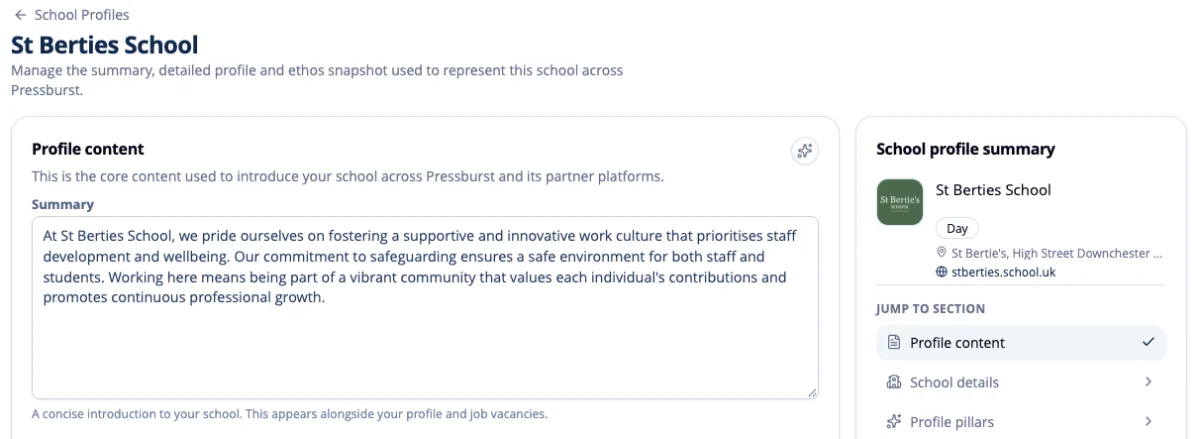
The profile is divided into four main sections:
- Profile content
- School details
- Profile pillars
- Proof points
The School profile summary on the right provides an overview of your school and shortcuts to each section.
Profile content
The Profile content section provides the main introduction to your school.
Summary
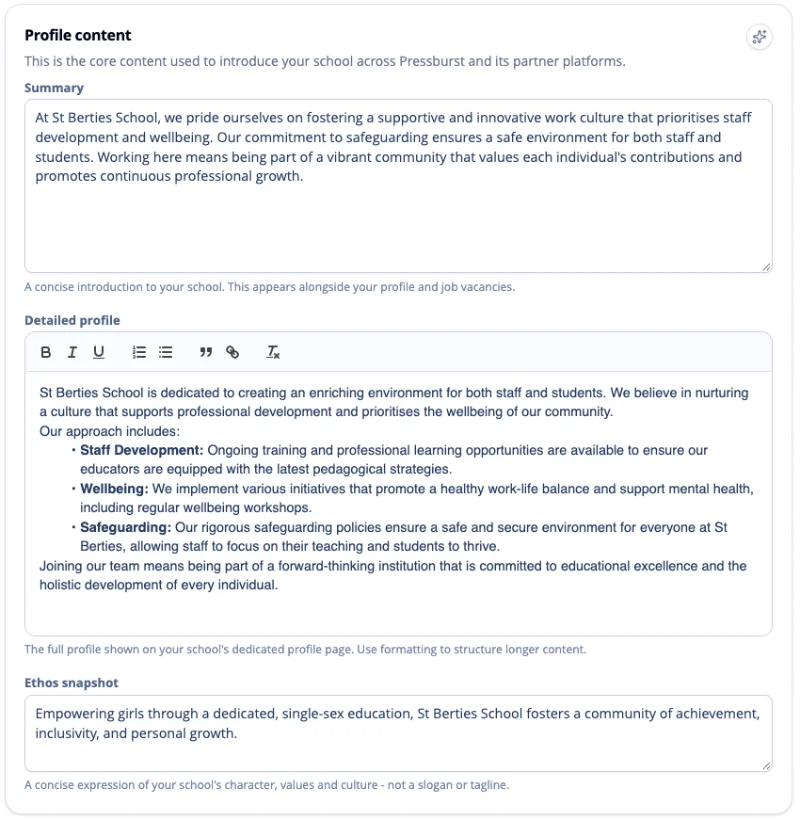
Add a concise introduction to your school.
The summary appears alongside your profile and job vacancies, so it should quickly give potential candidates a sense of the school and what makes it distinctive.
Keep it relatively short and focus on the characteristics most relevant to someone considering working at your school.
Detailed profile
Use the detailed profile to provide a fuller introduction to your school.
You might include information about:
- the school’s character and ethos
- the community and working environment
- educational approach
- facilities and location
- professional development and opportunities for staff
- aspects of school life that make it a distinctive place to work
Avoid simply reproducing admissions copy from your school website. The audience here is someone considering joining your school as an employee.
Ethos
Add a short expression of your school’s character, values and culture.
This should be concise and descriptive rather than a marketing slogan or tagline.
When you have made changes to your profile content, select Save changes.
School details
The School details section contains the core information used to describe and classify your school.
School type
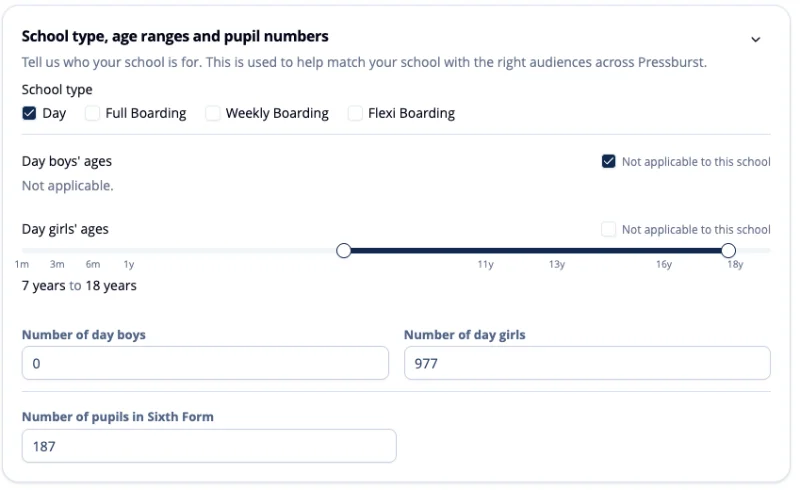
Select the options that apply to your school, such as:
- Day
- Full Boarding
- Weekly Boarding
- Flexi Boarding
Age ranges
Set the appropriate age ranges for boys and girls.
Where an age range does not apply to your school, select Not applicable to this school.
Pupil numbers
Enter the current number of day boys and day girls, together with the number of pupils in the Sixth Form where applicable.
Profile pillars
Profile pillars let you highlight up to five areas that best represent your school.
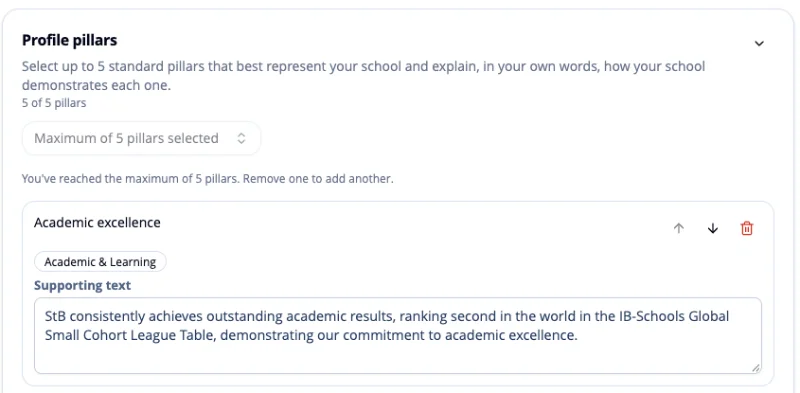
Select Add a pillar to add one to your profile.
For each pillar, explain in your own words how your school demonstrates that particular strength.
Choose pillars that genuinely help a potential candidate understand your school rather than trying to cover every aspect of school life.
Proof points
Proof points provide specific evidence to support the claims made elsewhere in your profile.
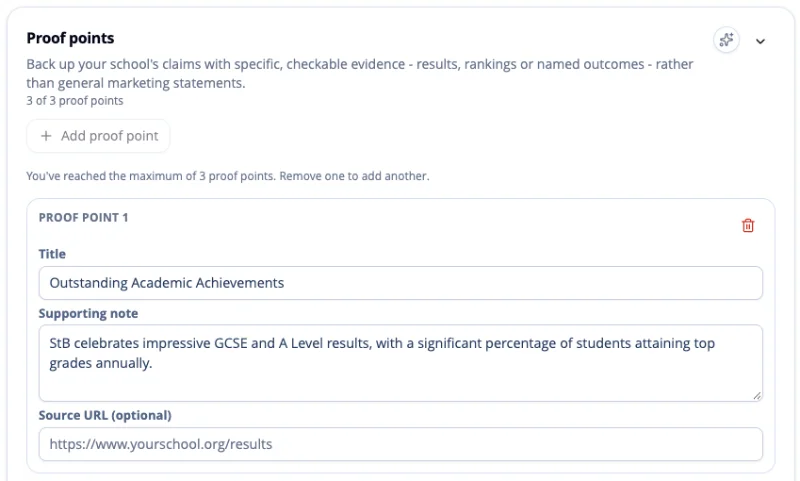
Select Add proof point to add one.
A proof point should be specific and checkable. Suitable examples might include:
- examination or academic results
- recognised rankings
- awards or accreditations
- named achievements
- measurable outcomes
Avoid general marketing statements that cannot be supported with evidence.
Keep your profile current
Review your school profile periodically so that it continues to give candidates an accurate picture of your school.
In particular, review it when there are significant changes to pupil numbers, school structure, ethos or the information you use to describe the school.
A complete profile gives candidates useful context alongside your current vacancies and helps them understand the school before deciding whether to apply.