
Managing press contacts
Press contacts are the journalists and media contacts available when distributing press releases from Pressburst.
Use News → Press Contacts to view and manage your school’s contacts.
View your press contacts
Open News → Press Contacts to view the contacts available to your school.
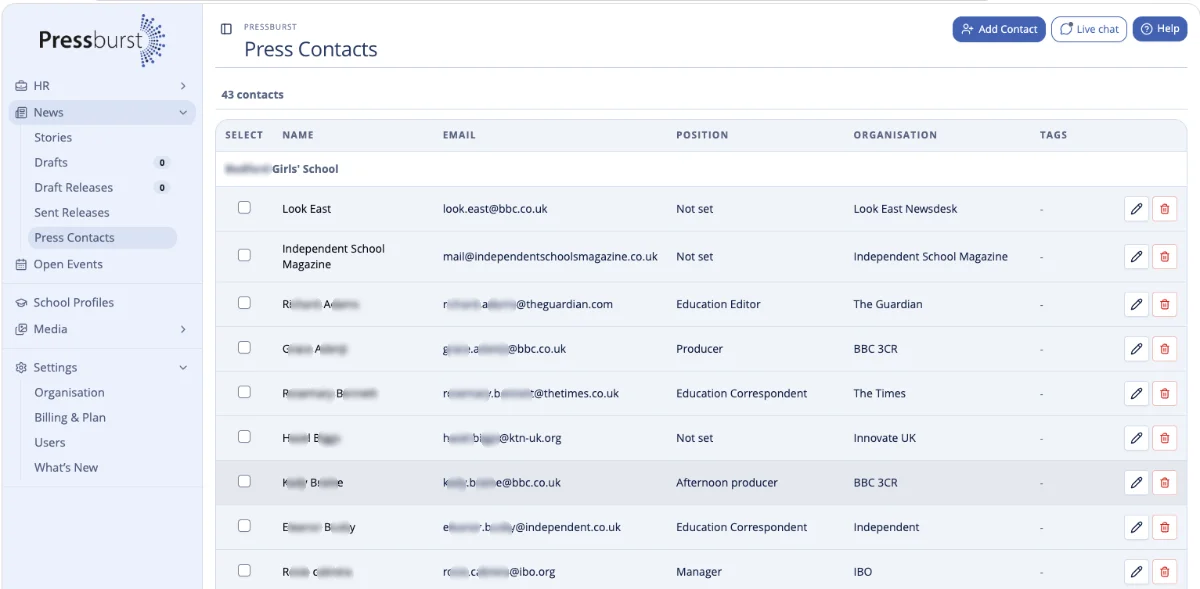
The listing shows each contact’s name, email address, position, organisation and tags.
You can edit or delete individual contacts using the action buttons on the right.
Add a press contact
Select Add Contact at the top of the Press Contacts page.
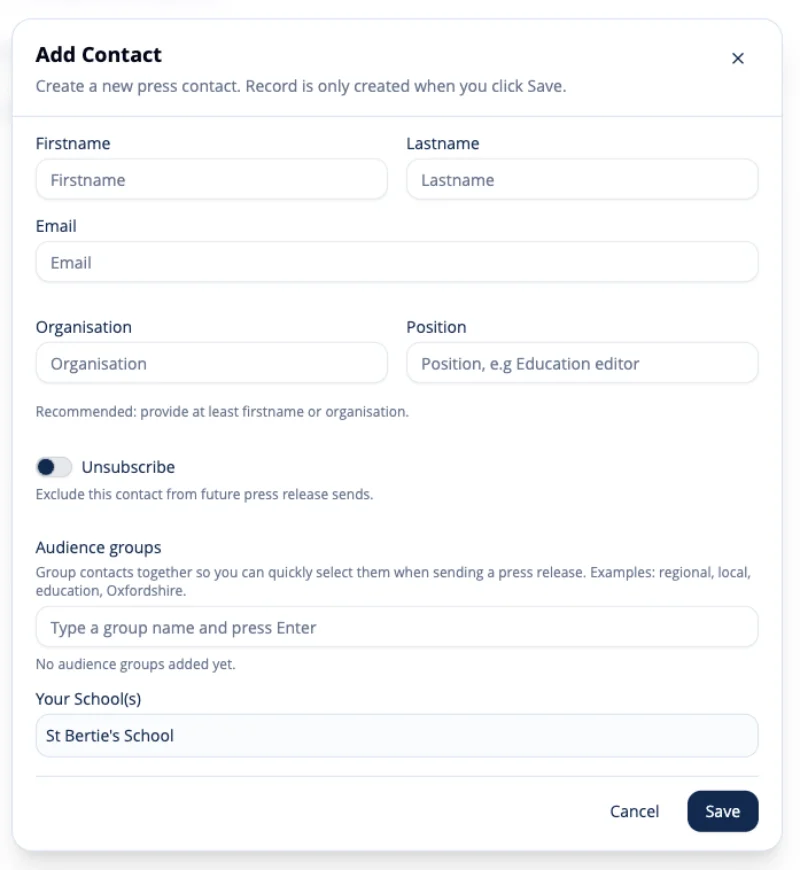
Enter the contact’s details using the fields provided.
Include their name, email address and any relevant information about their position or media organisation.
Save the contact when you have finished.
The new contact will then be available when selecting recipients for a press release.
Edit a press contact
Find the contact you want to update and open their details.
Make the required changes and save the contact.
Changes are reflected the next time the contact is used for press release distribution.
Delete a press contact
Contacts that are no longer required can be deleted from your press contacts.
Using contacts with press releases
When you reach the distribution stage of a press release, your press contacts are available for selecting as recipients.
This allows you to choose the journalists and media contacts most relevant to each story rather than maintaining a separate recipient list for every release.
See Sending a press release for more information about selecting recipients and distributing a release.