AI writing tools for vacancies
Pressburst includes AI-assisted writing tools to help you improve job descriptions and create concise vacancy summaries.
The tools work with the information you provide and allow you to review the suggested content before using it in your vacancy.
Improve a job description
The Improve Description tool helps you improve the clarity, structure and readability of an existing job description while preserving important details about the role.
First, enter or paste your job description into the Job Description field.
Select the Improve Description sparkle button to open the AI writing workspace in place of the Live Preview.
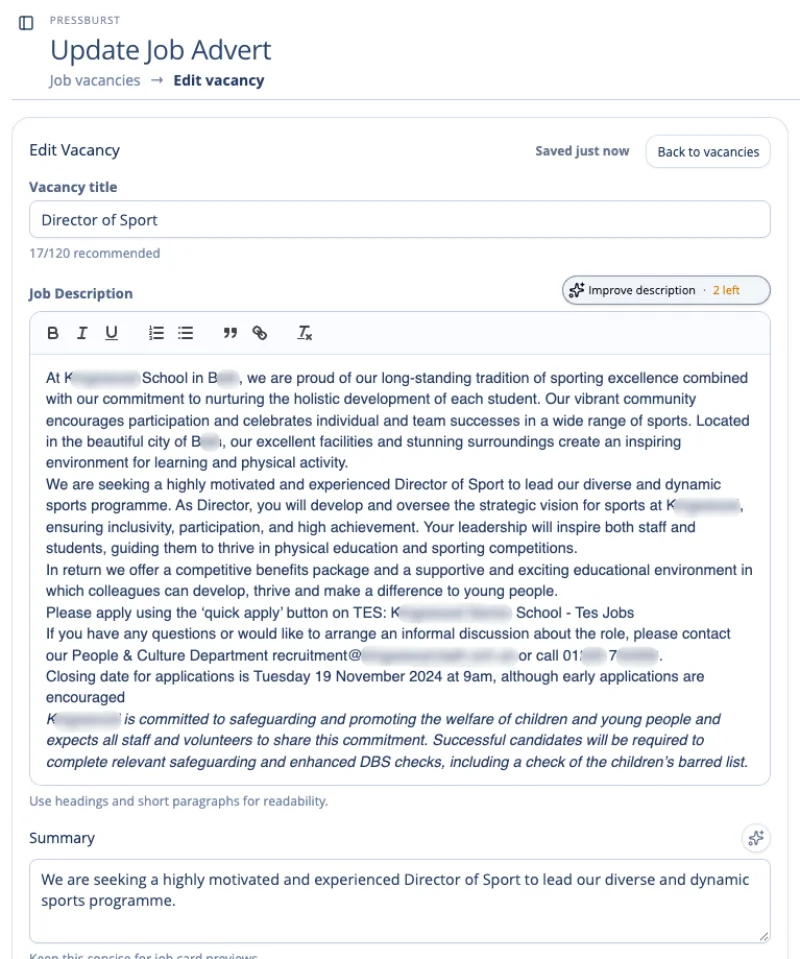
The workspace explains how Pressburst AI can improve your description.
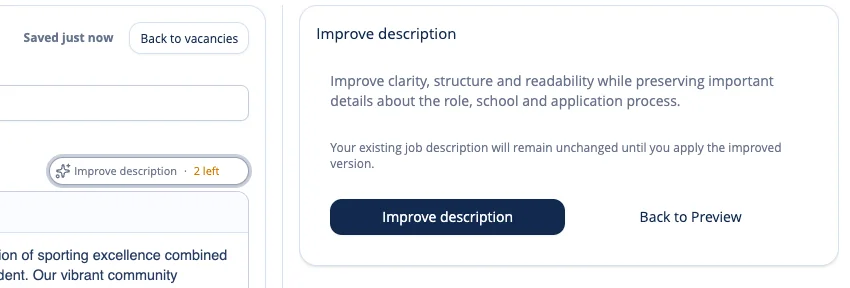
Select Improve description to generate a suggested rewrite.
Pressburst uses your existing job description as the basis for the improved version. Your original description remains unchanged while the suggestion is generated.
Review the improved description
Once Pressburst AI has finished, the workspace displays the suggested improvements alongside your original content.
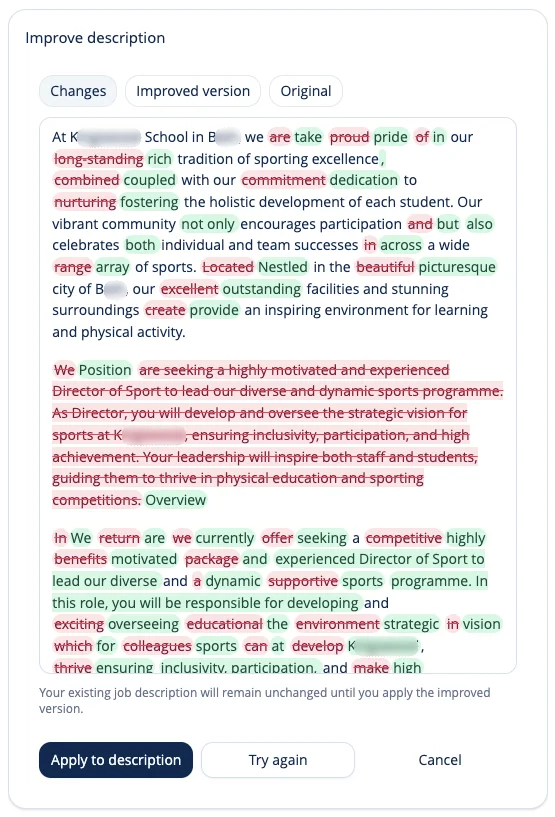
You can switch between three views:
- Changes: See the differences between your original description and the AI-generated version. Removed wording is highlighted in red and suggested additions in green.
- Improved version: Read the complete rewritten description without the change highlights.
- Original: Return to your original description for comparison.
The Changes view is displayed automatically when the improved description is ready.
Review the suggested changes carefully, particularly any information relating to:
- the role’s responsibilities and requirements
- salary, benefits and working arrangements
- application instructions and closing dates
- safeguarding statements and other important information
- names, factual details and wording specific to your school
When you have reviewed the suggestion, you can:
- Select Apply to description to replace the existing job description with the improved version.
- Select Try again to generate another suggestion.
- Select Cancel to discard the suggestion and return to the Live Preview without changing your description.
Your existing description remains unchanged until you select Apply to description.
Once applied, you can continue editing the description using the normal formatting toolbar.
Generate a vacancy summary
Pressburst can create a concise summary from your job description using AI.
Complete the Job Description first, then select the Generate Summary sparkle button beside the Summary field.

Pressburst uses your job description to generate a suggested summary, which appears beneath the existing Summary field.
Review the summary
Review the AI-generated suggestion before applying it to your vacancy.
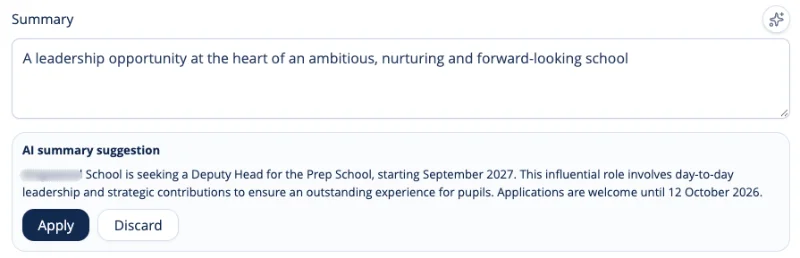
Your existing summary remains unchanged, allowing you to compare it with the AI suggestion.
You can:
- Select Apply to replace your existing summary with the suggestion.
- Select Discard to dismiss the suggestion and keep your original summary.
- Edit your existing summary manually, using any parts of the suggestion you find useful.
Once applied, you can continue editing the summary before publishing.
You remain in control
The AI writing tools are there to assist with writing rather than publish content automatically.
You can review and edit the generated content before it becomes part of your vacancy, and the normal vacancy publishing process still applies.
When you have finished working with the content, continue completing the vacancy as normal.
See Creating and editing a vacancy for the full vacancy workflow.