
AI writing tools for news
Pressburst includes AI-assisted writing tools to help you improve an existing news story and create a concise summary.
The tools work with the content you provide and leave you in control of the finished story.
Improve a story
The Improve story tool can help improve the clarity, structure and readability of an existing story while preserving its facts and direct quotations.
First, enter or paste your content into the Story Body field.
Select Improve story above the story editor.
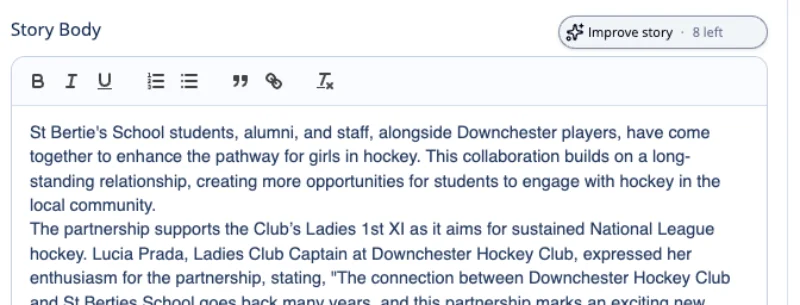
The number shown beside the button indicates how many AI writing uses remain available.
Generate an improved version
The Improve story panel explains what the tool will do before making any changes.
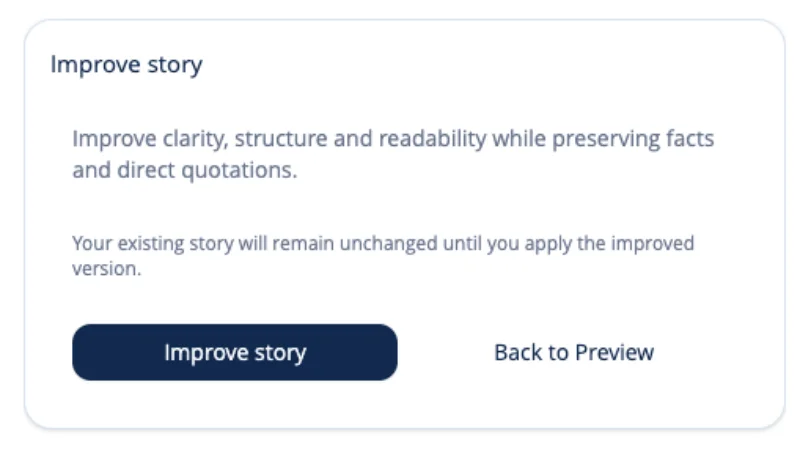
Select Improve story to generate a suggested version.
Your existing story remains unchanged while Pressburst creates the suggestion.
Review the improved story
Pressburst displays the suggested version before making any changes to your story.
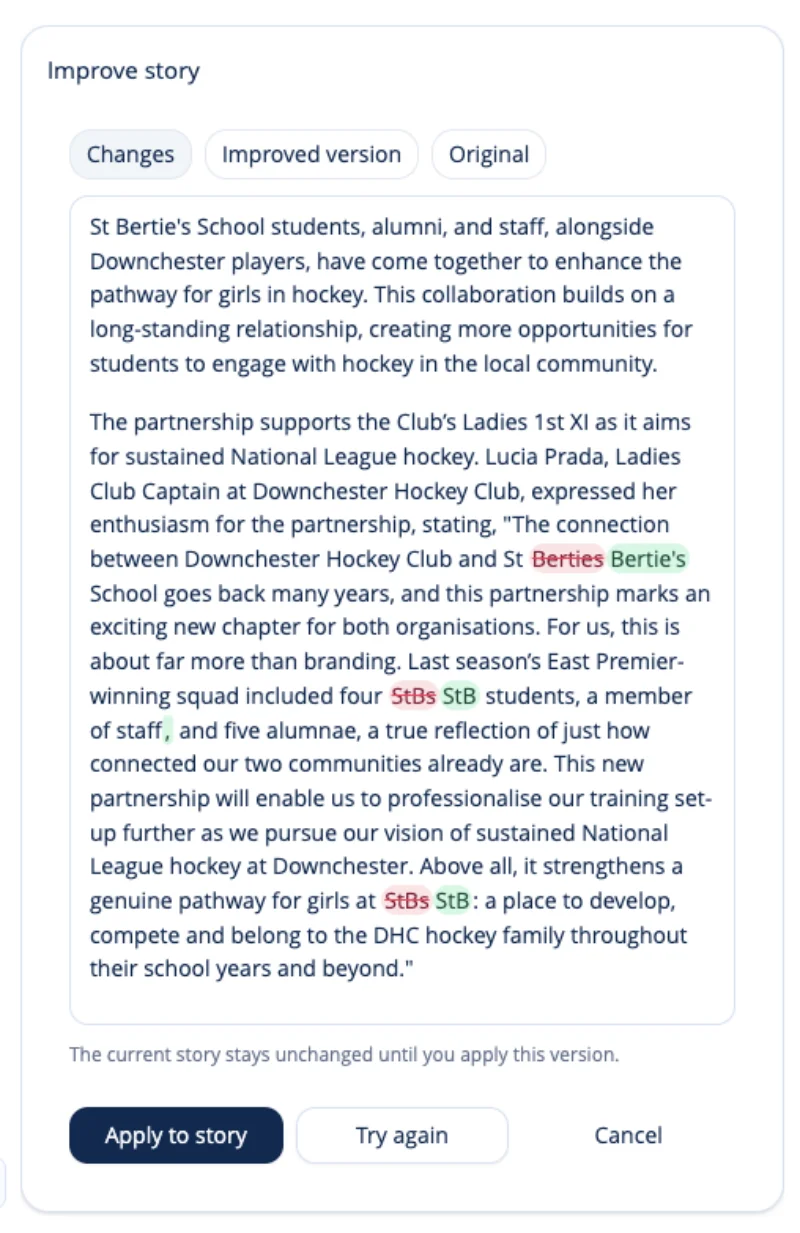
The result view allows you to compare the suggested content with your original story. Changes are highlighted to make them easier to identify.
Use the options at the top to switch between:
- Changes – see the changes made to your story
- Improved version – review the complete suggested version
- Original – return to the content you originally provided
Check that the improved version:
- accurately reflects what happened
- retains important names, dates and details
- preserves direct quotations correctly
- uses an appropriate tone for your school
- contains no incorrect or invented information
If you are happy with the suggestion, select Apply to story.
Select Try again to generate another version, or Cancel to keep your existing story unchanged.
Generate a story summary
Pressburst can create a concise summary from your news story using AI.
Complete the Story Body first, then select the Generate Summary sparkle button beside the Summary field.
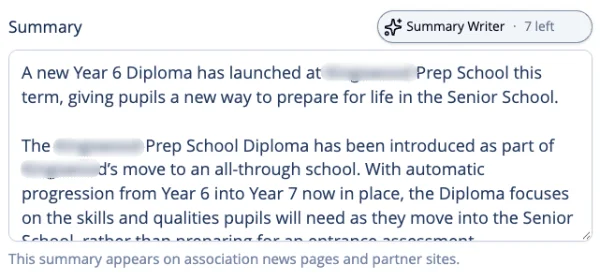
Pressburst uses your story content to generate a suggested summary, which appears beneath the existing Summary field.
Review the summary
Review the AI-generated suggestion before applying it to your story.
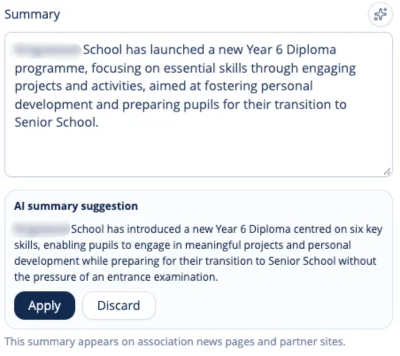
Your existing summary remains unchanged, allowing you to compare it with the AI suggestion.
You can:
- Select Apply to replace your existing summary with the suggestion.
- Select Discard to dismiss the suggestion and keep your original summary.
- Edit your existing summary manually, using any parts of the suggestion you find useful.
Once applied, you can continue editing the summary before publishing.
You remain in control
Neither AI writing tool publishes your content.
Improve story lets you review the suggested version before applying it. Summary Writer places its suggestion directly into the Summary field, where you can review and edit it before publishing.
When you have finished working with the content, continue completing your story as normal.
See Creating and editing a news story for the full publishing workflow.
If you are starting with the facts rather than an existing draft, see Using Story Builder.